
Pagecord's design is intentionally minimal. The idea is that it gets out of the way, with the focus being on the writing. The default monochrome look is intended to replicate that feel of the printed page – off-black text on a white page – and this works for a lot of people.
Recently I've heard from a number of customers that they'd like a little bit more control over the look and feel. Some people have also mentioned that the lack of colour options made them choose a competitor. It was clear I needed to do something!
From today, every Pagecord customer (free or premium) can now customise the look of their Pagecord blog! Just head into Settings > Appearance to take a look.
Recently I've heard from a number of customers that they'd like a little bit more control over the look and feel. Some people have also mentioned that the lack of colour options made them choose a competitor. It was clear I needed to do something!
From today, every Pagecord customer (free or premium) can now customise the look of their Pagecord blog! Just head into Settings > Appearance to take a look.
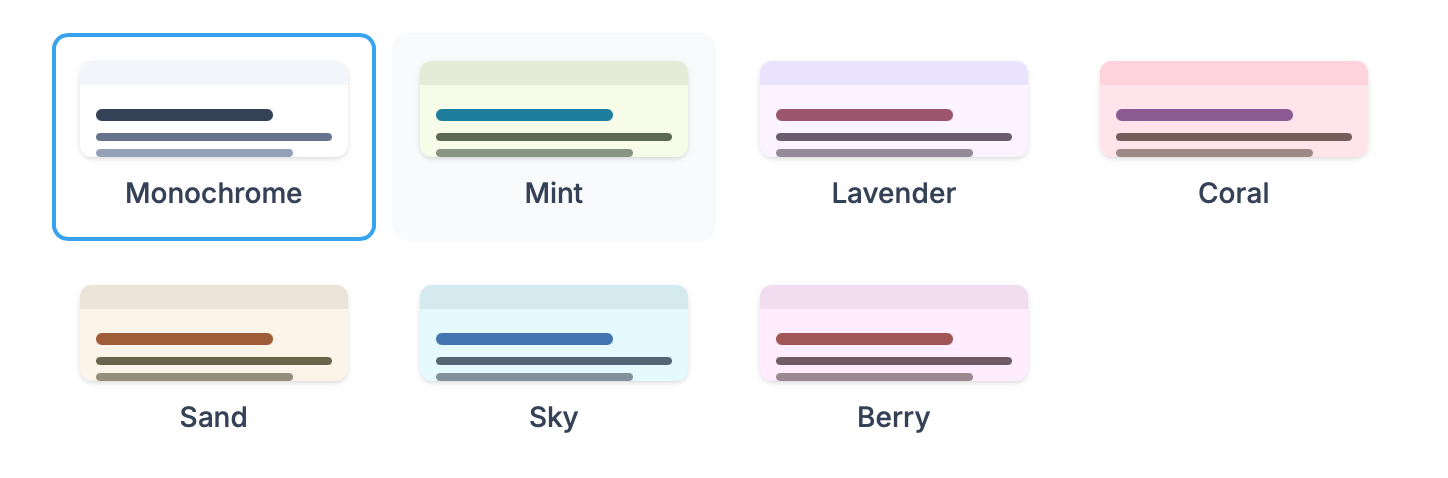
1. Choose a colour theme
Pagecord now comes with 7 unique colour themes. The default (Monochrome), and six new ones. These have been designed to be easy on the eye, and they all come with automatic dark mode. Each one has a complementary accent colour which gives your blog a little bit more of a pop.
2. Choose a font
The default font (Inter) is a beautiful sans-serif font. Now you can choose a beautiful serif font (Lora) instead.

3. Choose a page width
The standard page width is designed to make reading as effortless as possible, but you can now choose a slightly wider layout if you prefer. There's also a narrow layout that gives your blog more of a social media feed vibe (Olly particularly likes this one!).

I hope you enjoy playing around with the new themes. I think they maintain a minimalist aesthetic while offering a bit more personality for those who want it, all the while being effortless to configure – a core principle of Pagecord!