
Pagecord now supports Micropub, a web standard for publishing posts from third-party writing apps to your own website.
Pagecord already has an API, an Obsidian plugin, and a command line tool. This new Micropub endpoint provides another option, broadening the number of ways Pagecord customers can write where they like.
What tools support Micropub?
To be perfectly honest, right now there are not that many. The main one that customers have asked for is iA Writer, a popular Markdown editor for Mac, Windows and iPhone/iPad.
Because Micropub is a standard, Pagecord should also work automatically with future writing apps that add Micropub support – the future is rosy!
Using iA Writer with Pagecord
It's pretty easy to add Pagecord to iA Writer. All you need is your Pagecord API key, so you need to be on Pagecord Premium or a free trial.
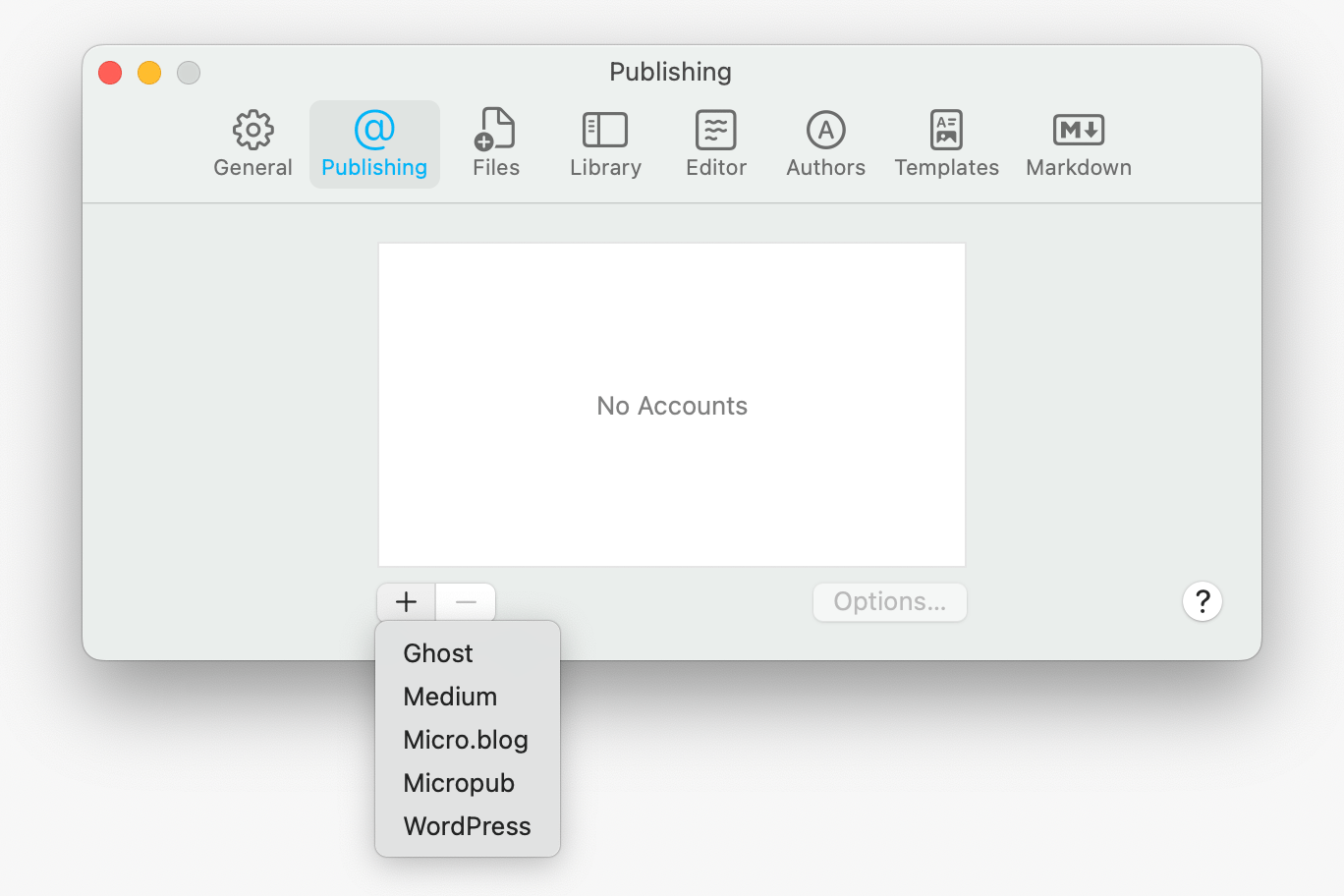
First go into Settings > Publishing, click the + icon and select Micropub:
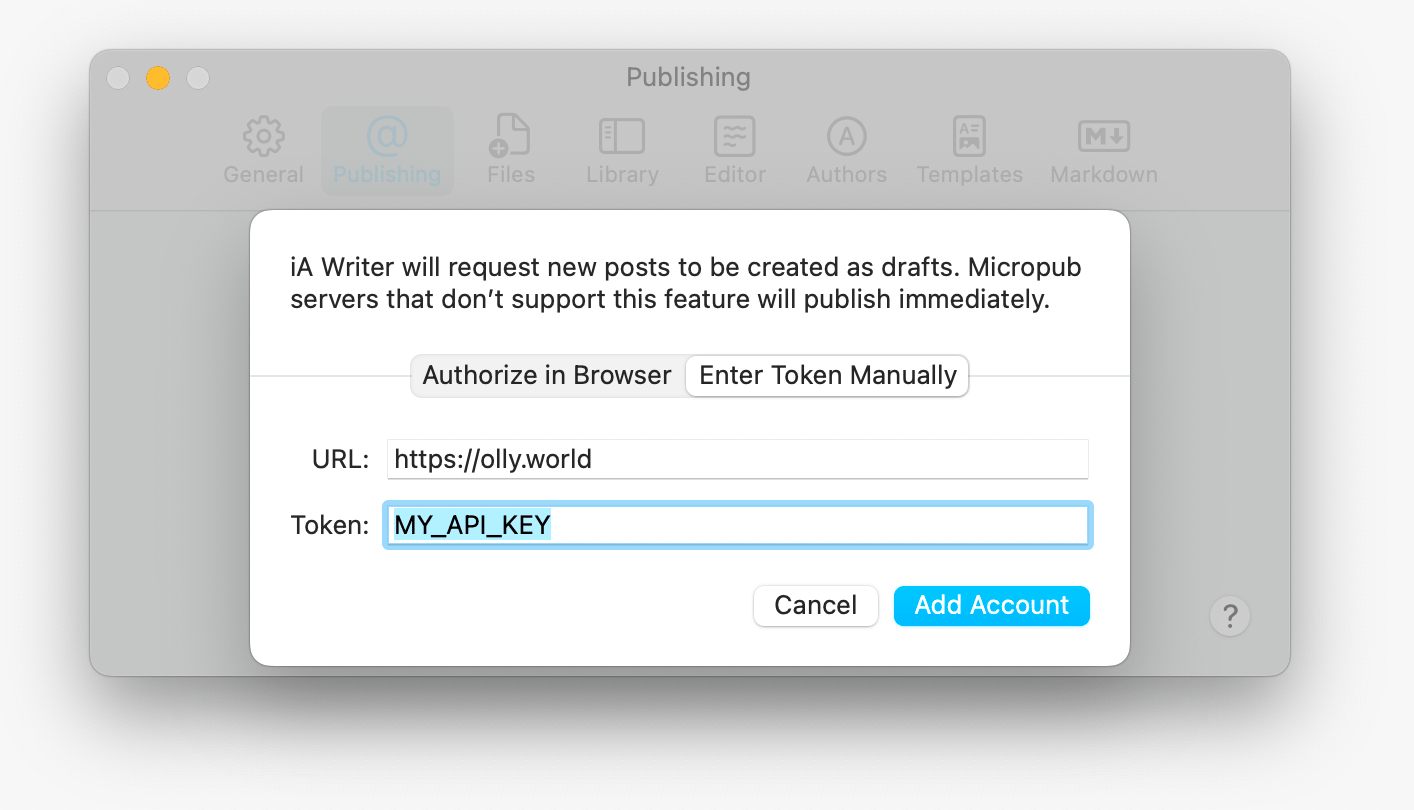
In the next screen, choose the Enter Token Manually option. Enter your blog home page URL, and your API key in the Token field then click Add Account.
Once saved, you should see a new option in the File > Publish menu:

Clicking New Draft on Micropub will take the current document and save it as a draft in your Pagecord account which is all that iA Writer currently supports.
I hope this improves, but iA Writer doesn't currently work as a full sync client for Pagecord. If you publish the same file again, it will generate an entirely new draft rather than updating the existing one. This is a current limitation with iA Writer, not Pagecord.
For a fully-featured experience, you probably want to use Obsidian rather than iA Writer, or use the Pagecord CLI to sync your iA Writer notes instead of the Micropub endpoint.
What Micropub features are supported?
Pagecord's implementation has been run against Micropub.rocks, the standard Micropub test suite. Most of the important use cases are covered. You can see the results here:
https://micropub.rocks/implementation-reports/servers/983/MxFCtISG3t38OzwCnyOg
(Note: Discovery is supported. I entered the API URL when running the tests rather than the blog home page URL – my bad!)
So that's the shape of it: Micropub is a useful new bridge into Pagecord, especially if you write in iA Writer. It isn't the most powerful way to publish, and it isn't trying to be, but it may be exactly enough for some workflows.
For the richest writing workflow, Obsidian remains the best option. For custom integrations, the Pagecord API is still the best place to start, while the CLI is a good fit for syncing local files.
Happy blogging!