
Some blogs have a clear purpose, like this one. It only contains posts about updates to Pagecord, that's it. Easy.
For personal blogs, it's not cut and dried. It's common for a personal blog to contain 'professional' articles mixed with small notes, photos, quotes and so on. This is actually what makes writing a personal blog so much fun – you get your own personal online space to write and journal about whatever happens to be on your mind, whenever you like. Yet, I think, it's this content melting pot that prevents people from actually writing consistently on their blog.
It's very easy to overthink your personal blog and dwell on questions like, "what's the point of it?", or "who wants to read curated essays on engineering management alongside random photos and links?". You worry about whether your random posts will deter the smart casual LinkedIn brigade who are only here for the essays, or vice versa. So you procrastinate until the blog is lost, buried under years of dust.
You know the feeling?
Sometimes one blog simply isn't enough. But paying for one blog is often a step too far for people, so the idea of paying for a second one is literally crazy talk.
If this is you, Pagecord Premium is your new best friend. You can now run a second blog from the same account, all for the same wallet-friendly price as before!
How it works
In the Pagecord app, the top-right corner now shows your avatar (or a text-based icon if you don't have an avatar) rather than a link to your blog. Click the avatar and you'll see the link to visit your blog, as well as a new Manage blogs link. It looks like this:
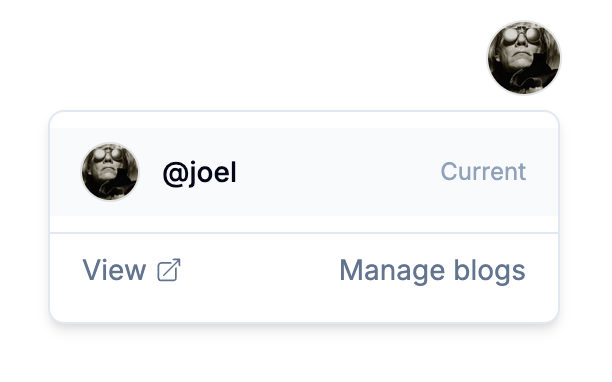
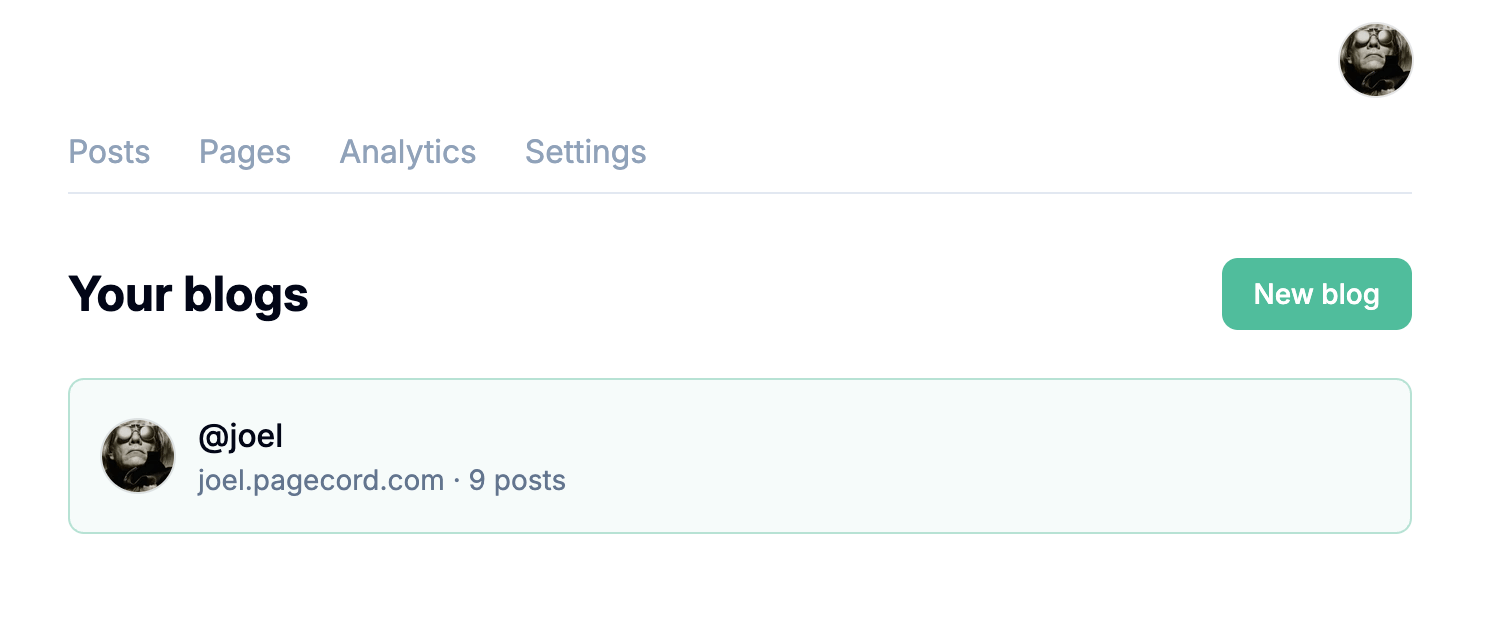
When you click on Manage blogs, you're taken to a new Your blogs page. From here you'll be able to add a second blog by choosing a subdomain and an optional title, kinda like you did on the sign-up page originally.
Once the second blog is created it will appear in the drop down list when you click the avatar. Click on a blog name to switch to that one.
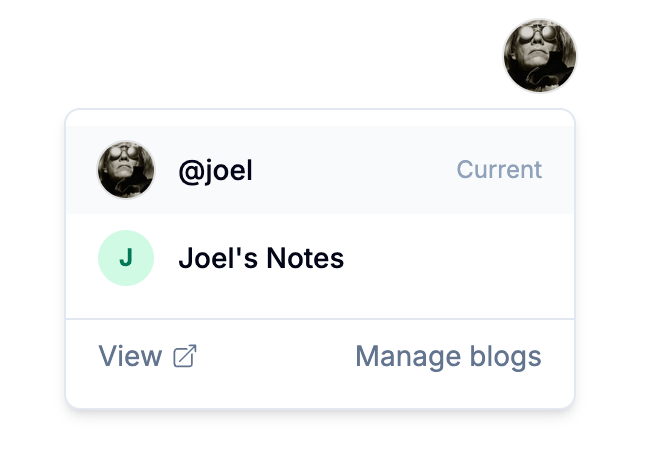
You only ever see your posts, pages and analytics from the currently selected blog. Blog-specific settings (that is: About, Appearance, Blog Settings, Navigation, Audience, Exports, and API) are all unique to each blog. The settings for My Account and Billing are the same across all blogs.
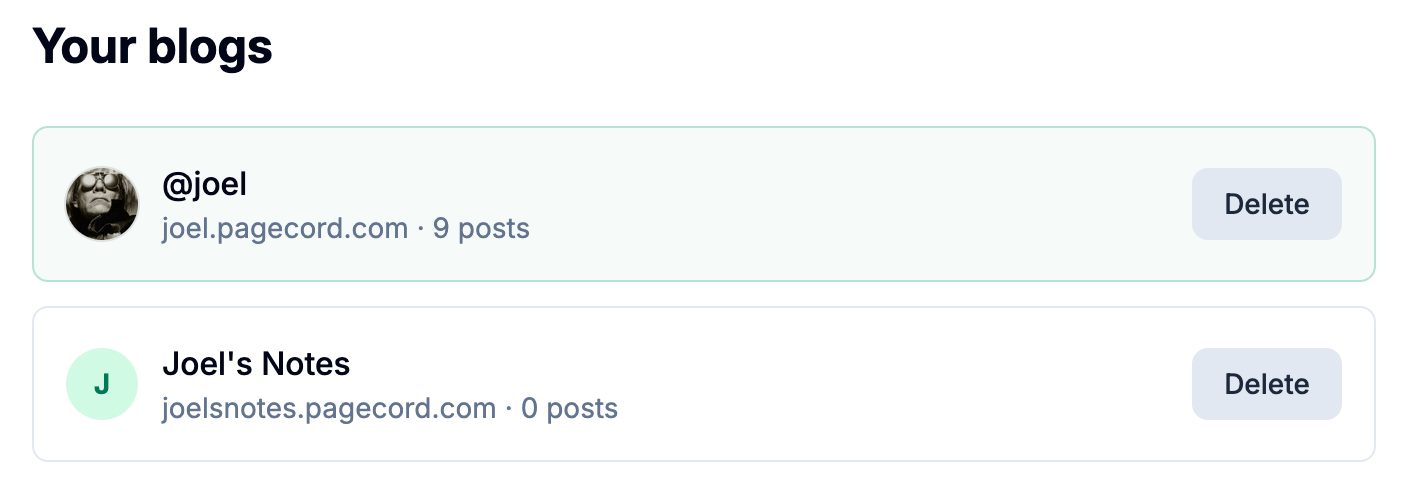
If you add a second blog, you get the option of deleting one of the blogs in Your blogs. Deleted blogs go to trash, where you can restore them or permanently delete them. You can't delete both blogs, only one – a Pagecord account has to have at least one blog.
But I want more than two blogs
You can currently only have a maximum of two blogs on a single account. Some other platforms allow more, but they cost more. Two is even and feels like the right balance today. There may be an option to add more in the future (perhaps for a small increase in cost, dunno), but for now – two it is.
If you want more blogs, you can always sign up for another Pagecord account 😉
Support for an additional blog has been a popular feature request for Pagecord. I've been dogfooding it for a wee while – the account for this Pagecord Updates blog is now the same account as the Pagecord Help Guide – and it feels like a great addition, without any additional complexity to the user experience.
I hope you like it!