
Use Pagecord as an app on your phone, desktop or tablet
Did you know you can install Pagecord on your phone, tablet or desktop and use it like a native app? It's pretty easy to do, so I thought I'd write up how to do it.
Pagecord works as a Progressive Web App (PWA), which is a nerdsome way of saying that your web browser can add it to your home screen, or your dock. Once installed, it opens in its own window with its own app icon. It's still just a web page under the hood, but it feels more like an app as opposed to being another tab in your browser.
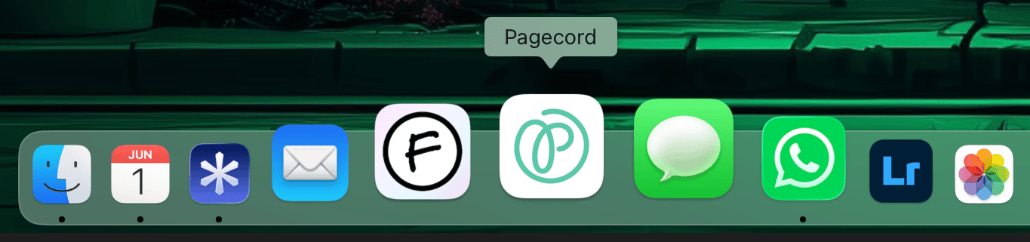
Having a Pagecord icon on your home screen makes it quicker and easier to launch, it looks cool, and it doesn't get lost in those 71 tabs you have open. That's basically it!
Installing on iPhone / iPad
To get the Pagecord 'app' on your home screen, follow these steps.
- Open
https://pagecord.com/appin Safari - Tap the share icon
- Choose Add to Home Screen
- Ensure the URL is https://pagecord.com/app (by default, it should be).
- Click Add
Voila.
Installing on Android
- Open
https://pagecord.com/appin in Chrome - Open the browser menu
- Choose Add to Home screen or Install app
- Confirm the install
The wording varies a bit between browsers and Android versions, but the idea is the same.
Installing on Mac (and Windows and Linux - untested, sorry)
On a Mac, use Safari to add Pagecord to your Dock. You can use Chrome if you prefer.
- Open
https://pagecord.com/app - Click the share icon in the toolbar
- Choose Add to Dock
- Click Add
Chrome, Edge and other Chromium-based browsers can install Pagecord too:
- Open
https://pagecord.com/app - Look for the install icon in the address bar, or open the browser menu
- Choose Install Pagecord or Install page as app
- Confirm the install
After that, you can pin Pagecord to your dock.
Use a password to log in
There is one gotcha with this. If you use magic links to log in, they won't work for a PWA because clicking on the magic link will open your default browser and not the PWA. Sorry!
The solution is easy though – set a password on your Pagecord account and choose Log in with password instead from the app login screen.
If you haven't set a password on your account, go to Settings → Account and use the password reset flow.
While there's no shiny Pagecord app in the App Store, this PWA gives you a very similar experience, and gives you a slightly more convenient and fun way to access Pagecord. Let me know how you get on!